
Build the Skills to Create
Your Own 3D Printable Models
Whether you've never opened Nomad Sculpt before or you've tried a few tutorials and still aren't sure where to start, this course gives you a clear path forward. Through 12 immersive, step-by-step projects, you'll learn the tools, workflows, and design principles behind creating your own printable models while building skills one project at a time.
( Secure checkout powered by Paddle. Taxes calculated automatically where required. )
Lifetime access. $197 One-time payment.
48-hour "Good-Fit" guarantee.
Does Any of This Sound Familiar?
You downloaded Nomad Sculpt, opened it up, and immediately felt overwhelmed.
There are tools everywhere.
Tutorials tell you what buttons to click, but not always why you're clicking them.
And after watching a few videos, you might know a little more than when you started, but you're still not sure where to begin when it's time to create something on your own.
The problem isn't that there isn't enough information available.
The problem is figuring out what to learn first, what actually matters, and how all the pieces fit together.
Without a clear path, it's easy to bounce between tutorials, learn random techniques, and still feel stuck when you sit down to start a new project.
That's exactly why I created this course.
Why Most Beginners Get Stuck
The Typical Approach
Most beginners try to learn Nomad Sculpt one tool at a time.
They watch a video about the Move tool.
Then another about masking.
Then another about trimming or voxel remeshing.
They learn what the tools do, but often struggle to understand when to use them or how they work together to create a finished model.
The result?
Lots of information, but very little confidence when it's time to start a project on their own.
My Approach
I believe it's easier to learn tools while building something.
Instead of studying features in isolation, you'll use them in real projects where they have a purpose.
Each project builds on the last, introducing new skills, reinforcing previous lessons, and showing you how different tools work together to solve real design challenges.
By learning through guided practice, you'll spend less time wondering what a tool does and more time understanding how to use it.
Why This Course Is Different
Project-Based Learning
You won't spend hours watching tool demonstrations and hoping everything comes together later. Every lesson is built around a real project, giving you a practical reason to use the tools you're learning.
Gradual Skill Building
Each project builds on previous lessons. New skills are introduced a little at a time, helping you develop confidence without feeling overwhelmed.
Multiple Ways to Solve Problems
In 3D modeling, there is rarely only one correct approach. Throughout the course, you'll see different ways to achieve similar results, helping you develop flexibility and a better understanding of how Nomad Sculpt works.
Tools in Context
Instead of learning tools in isolation, you'll learn them when they naturally appear in a project. This helps you understand not only what a tool does, but when and
why to use it.
Repetition by Design
Some tools and techniques appear throughout multiple projects. This isn't accidental. Repetition helps reinforce what you've learned so the skills become familiar and easier to remember.
The course is built around 12 guided projects that gradually develop your skills as you move from simple concepts to more advanced modeling techniques.
Each project introduces new tools, workflows, and design concepts while reinforcing what you've already learned.
Start with the Fundamentals
You'll begin by learning the core concepts that make sculpting in Nomad Sculpt approachable and enjoyable. Early projects focus on building confidence and helping you become comfortable with the software.
Build New Skills Through Practice
As you progress through the course, each project introduces new techniques and ways of thinking about modeling. You'll start seeing how tools work together and how small skills combine to create more complex results.
Learn to Design for 3D Printing
Throughout the course, you'll learn design decisions that help models print more successfully, including ways to reduce supports, improve printability, and create cleaner models.
Finish with Confidence
By the end of the course, you'll have completed 12 projects, gained experience using a wide range of Nomad Sculpt tools and workflows, and developed a stronger understanding of how to approach your own modeling ideas.

How The Course Works
A Different Approach
to Learning
Most online courses give you access to everything at once.
Nomad Sculpt Foundations takes a different approach.
The course is delivered over 12 days, with a new project unlocking each day.
I designed it this way for a reason.
This course isn't just about watching videos. It's about developing a new skill. And like any skill, real progress comes from practice, repetition, and giving yourself time to absorb what you've learned.
Each project builds on previous lessons, revisiting important tools and concepts while introducing new techniques along the way.
Instead of racing through the course in a weekend, you'll have time to practice, experiment, and reinforce what you've learned before moving on to the next project.
It's a simple approach, but it's one of the reasons so many students tell me they leave the course with a stronger understanding of how modeling works and more confidence creating their own projects.
Access the course from your computer, tablet, or mobile device and work through the projects at your own pace.
A Look Inside the Course
Before you enroll, I want you to see exactly what you're getting.
This isn't a collection of random tutorials or disconnected lessons. The course is organized into a clear learning path that guides you from your first project to more advanced workflows one step at a time.
Inside the course, you'll find:
A Structured Learning Path
Each project builds on the previous one, helping you develop new skills while reinforcing what you've already learned.
Project-Based Learning
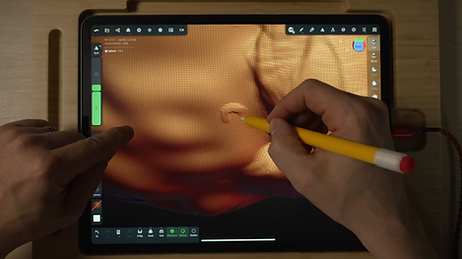
Step-by-Step Video Lessons
Everyday a project is taught from start to finish, with explanations of the tools, workflows, and design decisions being used along the way.
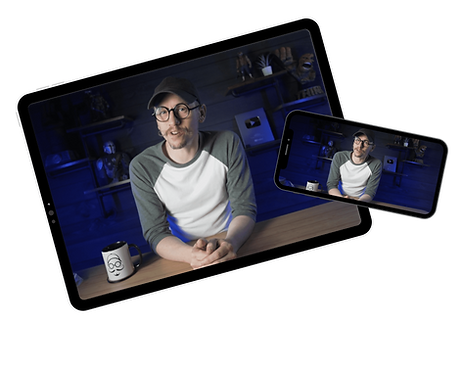
Learn Anywhere
You'll complete a finished model every day in each lesson while learning concepts you can apply to future projects of your own.
What You'll Learn
01
Navigate Nomad Sculpt with Confidence
Learn how to move around the workspace, manage your projects, and work comfortably inside the software.
02
Understand Core
Sculpting Tools
Discover how commonly used tools work, when to use them, and how they work together to create different results.
03
Create Models from
Simple Shapes
Learn how complex models are built from simple forms and how to gradually add detail without becoming overwhelmed.
04
Design with 3D Printing
in Mind
Understand design choices that can improve printability, reduce supports, and create cleaner results on the printer.
05
Modify and Customize
Your Own Ideas
Learn techniques that make it easier to adjust, combine, and personalize models as your confidence grows.
06
Develop Real
Modeling Workflows
See how experienced modelers approach projects, solve problems, and move from an idea to a finished model.
07
Export Models for
3D Printing
Prepare and export your projects so they're ready for slicing and printing.
What You'll Create


What You'll Be Able to Do
By the end of the course, you'll have much more than a collection of completed projects.
You'll have a foundation you can continue building on long after the course is over.
Create Models from Scratch
Modify and Customize
Existing Designs
Design with 3D Printing
in Mind
Use the skills you've developed throughout the course to begin building your own original projects in Nomad Sculpt.
Understand how models are constructed so you can make changes, add details, and adapt designs to fit your needs.
Apply the principles taught throughout the course to create models that are better suited for slicing, printing, and assembly.
Continue Learning
with Confidence
Approach New Ideas with a Different Perspective
Instead of wondering where to start, you'll have a framework for approaching new projects and learning new techniques on your own.
One of the biggest shifts students experience is learning how to look at models differently. You'll begin recognizing shapes, workflows, and techniques that can help turn an idea into a finished project.
Who It's For - Who It's NOT For...
This is for you if...
Most beginners try to learn Nomad Sculpt one tool at a time.
They watch a video about the Move tool.
Then another about masking.
Then another about trimming or voxel remeshing.
They learn what the tools do, but often struggle to understand when to use them or how they work together to create a finished model.
The result?
Lots of information, but very little confidence when it's time to start a project on their own.
Not right for you if...
I believe it's easier to learn tools while building something.
Instead of studying features in isolation, you'll use them in real projects where they have a purpose.
Each project builds on the last, introducing new skills, reinforcing previous lessons, and showing you how different tools work together to solve real design challenges.
By learning through guided practice, you'll spend less time wondering what a tool does and more time understanding how to use it.
Meet Your Instructor
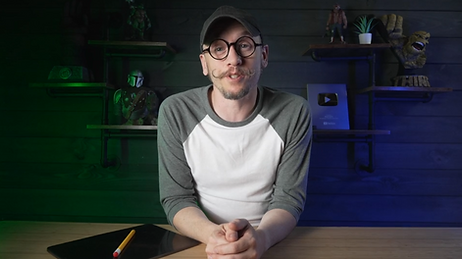
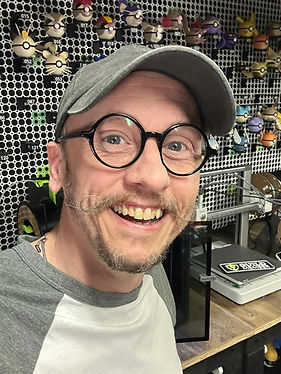
Hi, I'm Chris!
I've been involved in 3D printing since 2014 and have spent years helping beginners learn the skills, tools, and workflows that make this hobby more enjoyable and less overwhelming.
One thing I've learned along the way is that most people don't struggle because they're incapable of learning something new. They struggle because they don't have a clear path to follow.
That's why I created this course.
Instead of overwhelming you with every tool and feature in Nomad Sculpt, I focus on guided projects that help you learn through practice, build confidence, and develop skills you can continue using long after the course is over.
What's Included
When you enroll in Nomad Sculpt Foundations for 3D Printing, you'll receive:
✓ Full Course Access
Get access to the complete course and all 12 guided projects from start to finish.
✓ 12 Guided Modeling Projects
Follow along step by step as you build a collection of models designed to teach real-world sculpting and 3D printing skills.
✓ Lifetime Access
Work through the course at your own pace and revisit the lessons whenever you need a refresher.
✓ Future Course Updates
As the course grows and improves, you'll continue to receive any updates included with the training.
✓ Downloadable Course Resources
Access any supporting files, references, or resources included throughout the course.
✓ Learn on Your Schedule
There are no deadlines, live sessions, or required completion dates. Progress through the course whenever it fits your schedule.
Nomad Sculpt Foundations is a one-time investment of $197.
You’ll get lifetime access to all 12 guided projects and any future updates.
No subscriptions.
No recurring fees.
48-Hour
"Good-Fit" Guarantee
Go through the first lesson. If within 48 hours you feel this program isn’t the good fit for you, email me and I’ll refund your purchase.
( Secure checkout powered by Paddle. Taxes calculated automatically where required. )
Frequently Asked Questions
Ready to Start Creating Your Own 3D Printable Models?
If you've been looking for a clear, beginner-friendly way to
learn Nomad Sculpt, this course was built for you.
Through 12 guided projects, you'll develop the skills, workflows,
and confidence needed to begin creating your own models
for 3D printing.
No complicated learning path.
No guessing what to learn next.
Just a structured approach designed to help you build
real skills one project at a time.
Nomad Sculpt Foundations
for 3D Printing
✓ 12 Guided Projects
✓ Beginner Friendly
✓ Designed for 3D Printing
✓ Lifetime Access
✓ Learn at Your Own Pace
( Secure checkout powered by Paddle. Taxes calculated automatically where required. )
MeaD MaDe ltd. Copyright © 2026 | Terms & Conditions | Privacy Policy | Email Support: heychris @ itsmeadmade.com